AI-Generated Content — Research-backed, not based on personal experience
This post contains affiliate links. We may earn a commission at no extra cost to you.
7 AI Developer Tools That Actually Ship Code in 2026: Windsurf, Claude Opus 4, and the Agents That Build Apps
March 2026 brought agentic AI tools that write, debug, and deploy complete applications. Here are the 7 coding assistants that moved beyond autocomplete.
March 2026 marked what Digital Applied called "the month that changed AI forever." Agentic tooling moved from experimental novelty to standard practice across the developer world. But here's what caught me off guard: these tools don't compete anymore. They layer.
Your editor handles real-time suggestions. Your terminal agent tackles complex multi-file features. Your CI integration automates the entire PR process.
Build Fast with AI nailed this insight: get the layer right, and the compounding productivity becomes genuinely game-changing. And honestly that terrifies me a little. We've crossed some invisible threshold where AI doesn't just suggest code, it architects and implements entire features while you sleep. Ships them too.
The tools below represent the seven that actually deliver on this promise. Some are free. Others cost more than your Netflix subscription. All of them fundamentally change what it means to write software in 2026.
Benchmark comparisons reveal something fascinating: context windows exploded, agentic workflows became table stakes, and the gap between "coding assistant" and "AI developer" disappeared entirely. But which ones should you actually trust with your codebase?
1. Windsurf - The Cascade Pioneer
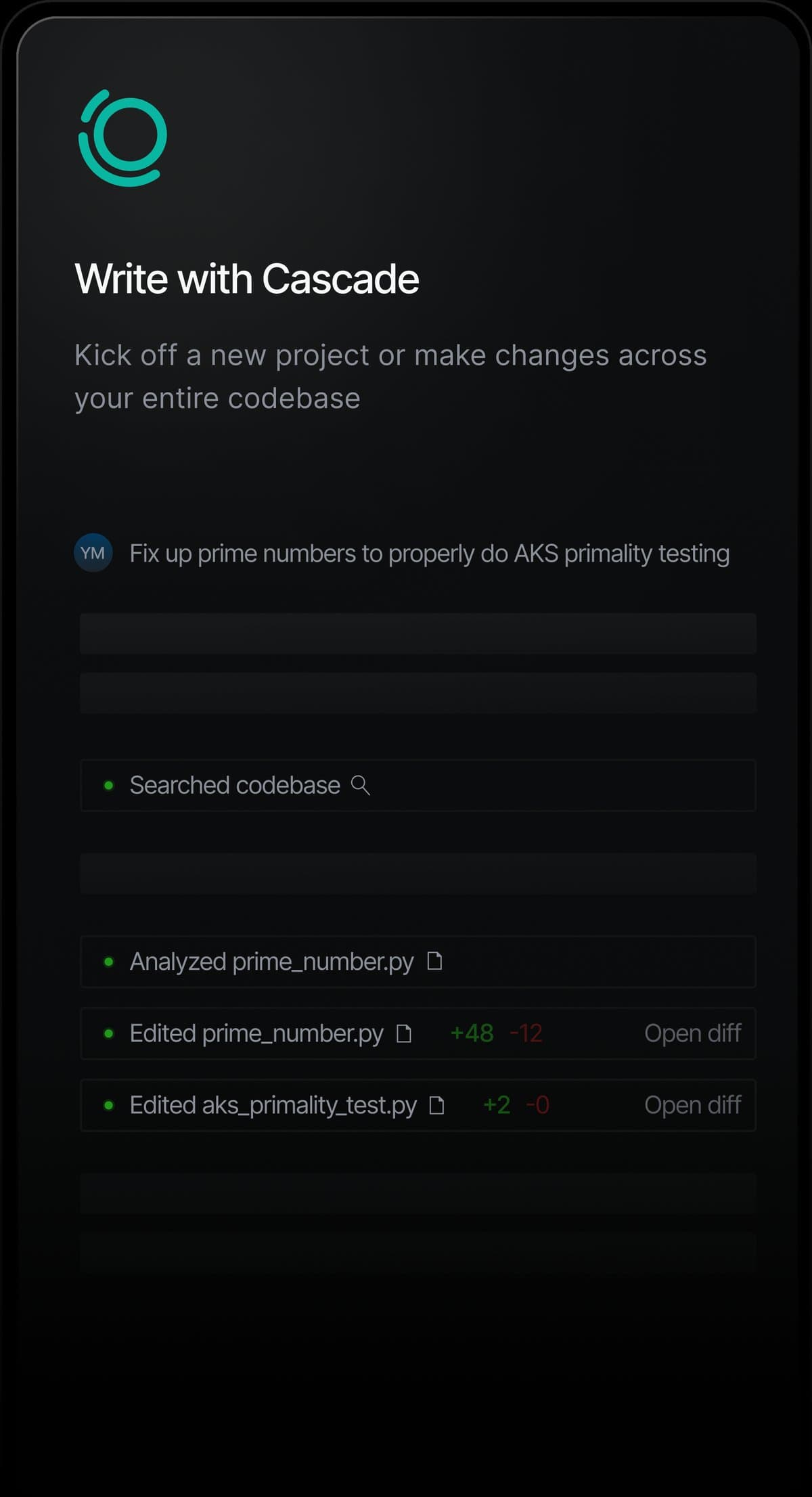
Windsurf pioneered what they call "Cascade," the first truly agentic IDE feature for multi-file editing with auto-generated shell commands NxCode. Think of it as having a senior developer who can read your entire codebase, understand the architecture, and implement features across multiple files without breaking existing functionality.
The magic happens in what Windsurf calls "Arena Mode" and "Plan Mode." Arena Mode lets you run parallel AI sessions. One agent handling the frontend React components while another rebuilds the API endpoints. Plan Mode creates a step-by-step implementation strategy before touching any code. It's like code review, but backwards.
Benchmark comparisons reveal Windsurf's context advantage: it analyzes project structure, dependency relationships, and coding patterns simultaneously. Users report that complex refactors that previously took days now complete in hours.
The shell command generation is particularly impressive (it understands when to run tests, install packages, or restart services as part of the implementation flow). Well, actually, that's not quite right. The command generation works, but it's the context understanding that really sets Windsurf apart.
Pros: Pioneered agentic multi-file editing, excellent project-wide context understanding, Arena Mode enables parallel AI workflows, free tier available
Cons: Learning curve for agentic features, can generate overly complex solutions for simple tasks, Arena Mode requires careful prompt engineering
Check out Windsurf → offers pricing from $0 to $60 per month depending on usage requirements and model access.
The consensus from LogRocket is clear: Windsurf currently leads the March 2026 power rankings for complete workflow integration.
2. Claude Opus 4.6 - The Context King
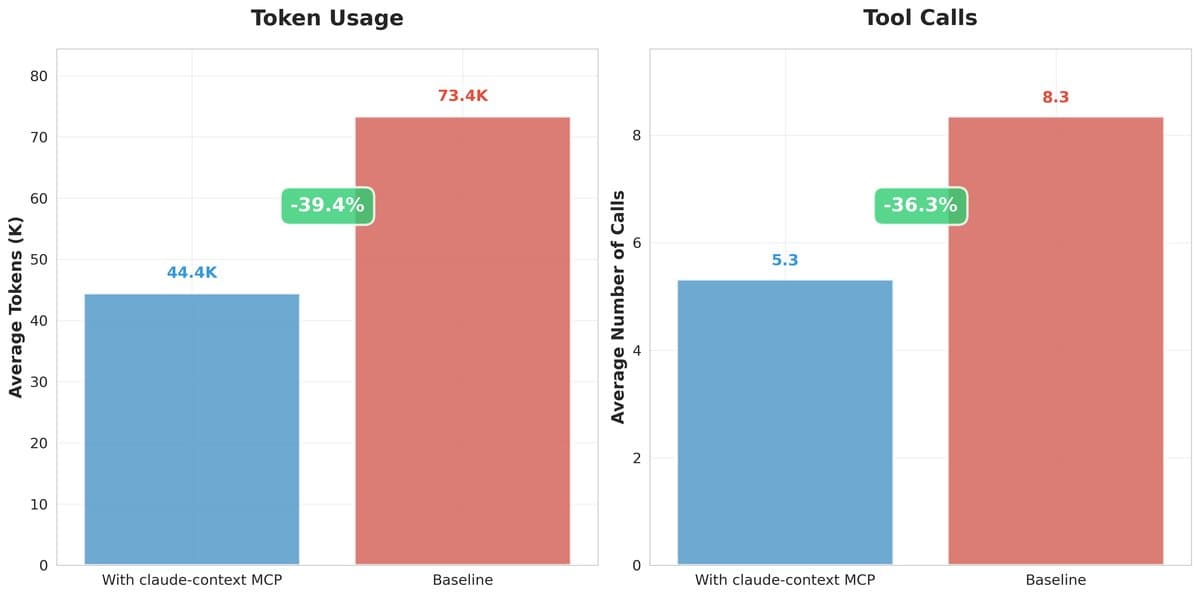
Okay wild thought: what if an AI could hold your entire application in working memory? Claude Opus 4's 1 million token context window changes everything about how AI understands codebases. NxCode confirms this analyzes roughly 30,000 lines of code in a single prompt, while Cursor and Windsurf typically work within 128K-256K tokens.
The practical impact is profound.
Claude Code doesn't just see the function you're editing. It understands the database schema, the API contracts, the test suite, and the deployment configuration all at once. Security audits that previously required human experts now happen automatically as Claude traces data flow across your entire stack.
Users report Claude Code excels at large refactors, architectural decisions, and complex debugging sessions. The model's reasoning about code quality, performance implications, and maintainability consistently impresses developers who've grown skeptical of AI coding tools. It's particularly effective for legacy codebases where understanding context matters more than raw code generation speed.
But here's the plot twist: Claude Code works best as a terminal-based tool for deep analysis, not as your daily autocomplete assistant. Most developers combine it with Cursor or Windsurf for routine coding, then switch to Claude Code for the complex stuff.
Pros: Massive 1M token context window, exceptional at architectural analysis, excellent for security audits and refactoring, strong reasoning about code quality
Cons: Terminal-based interface less convenient for daily coding, higher pricing for extensive usage, can be overkill for simple tasks
Check out Claude Code → pricing varies based on token usage, with complex multi-file analysis requiring higher-tier access.
The context advantage alone makes Claude Opus 4.6 the default choice when you need an AI that truly understands your entire codebase architecture.
3. GitHub Copilot Pro - The Reliable Foundation
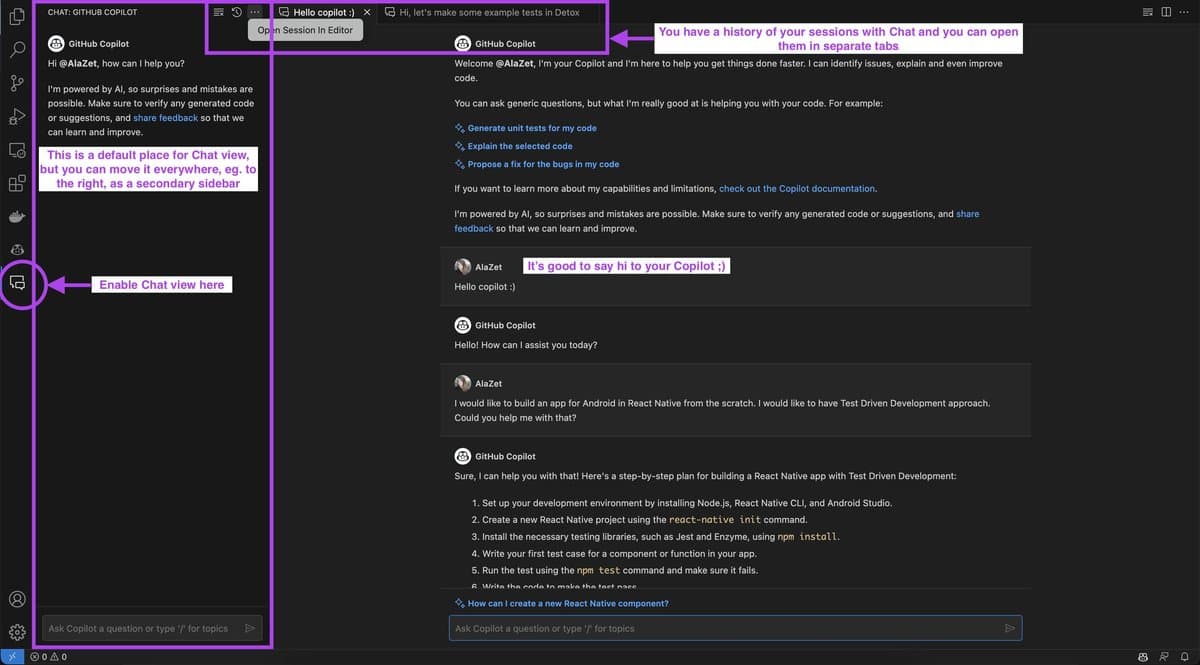
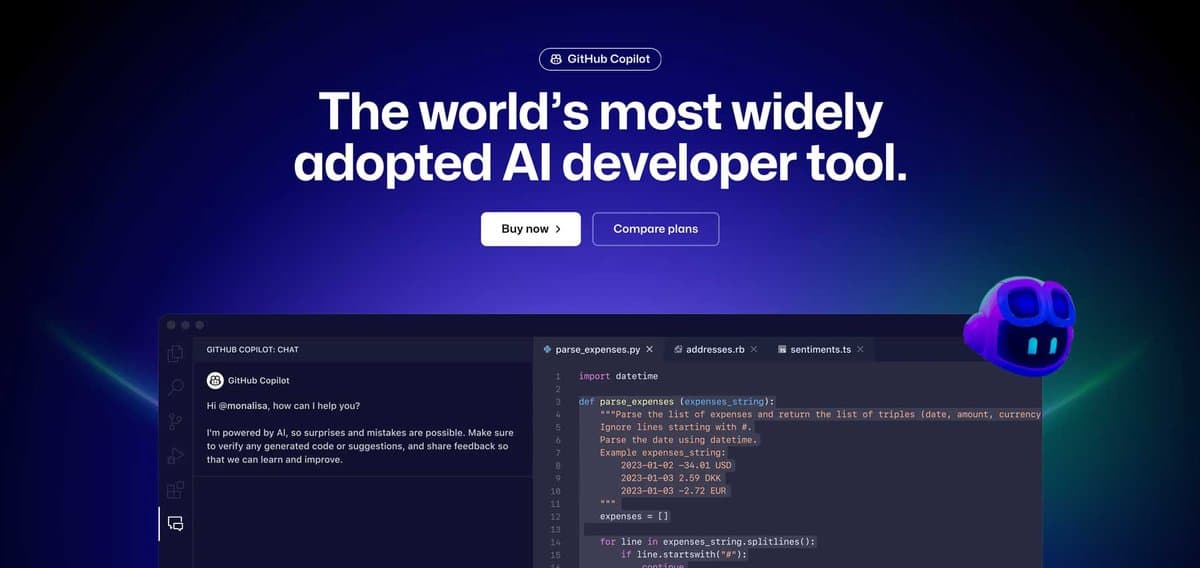
Here's what nobody talks about regarding GitHub Copilot Pro: it's boring in the best possible way. While other tools chase agentic workflows and autonomous coding, Copilot Pro mastered the fundamentals. Autocomplete that actually works. Chat that understands context. Suggestions that don't break your existing code.
At $10 per month, Lushbinary positions Copilot Pro as the foundation recommendation for most developers in 2026. The integration with GitHub's tools means pull request summaries, issue analysis, and repository context work smoothly out of the box. No friction.
The March 2026 updates brought significant improvements to multi-language support and repository-wide understanding. Copilot Pro now analyzes your entire project structure to provide contextually relevant suggestions, not just the current file. The chat interface handles complex debugging sessions effectively, walking through error logs and suggesting fixes across multiple files.
Community feedback consistently highlights Copilot Pro's reliability. While flashier tools sometimes generate broken code or over-engineer solutions, Copilot Pro focuses on consistency and integration. It's the tool developers trust for production codebases where reliability matters more than experimental features.
Pros: Excellent reliability and consistency, smooth GitHub integration, competitive pricing at $10/month, strong multi-language support
Cons: Less advanced than agentic tools for complex multi-file tasks, autocomplete quality trails some newer models, limited autonomous coding capabilities
Check out GitHub Copilot Pro → remains the recommended starting point for developers new to AI coding assistance.
And honestly, that's probably the right approach for most teams. Start with Copilot Pro for daily coding, then add specialized tools as needed.
4. Cursor - The Composer Experience
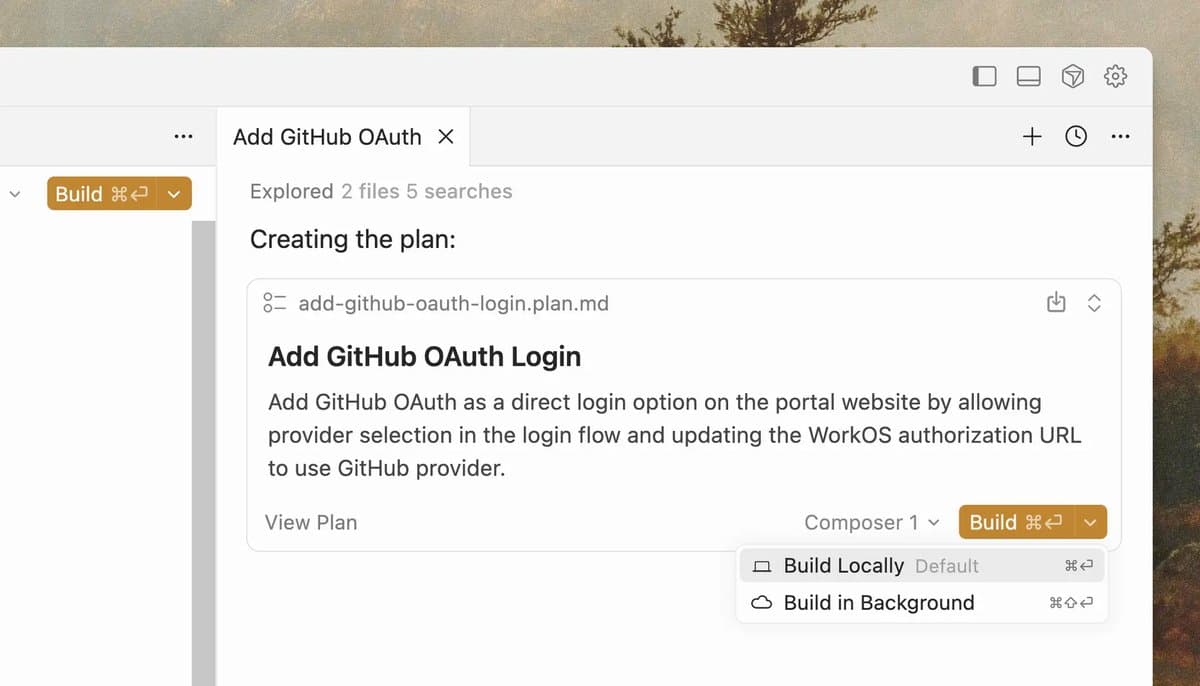
Cursor followed Windsurf's agentic breakthrough with their own "Composer" feature, and the execution is remarkably polished. Where Windsurf pioneered the concept, Cursor refined the experience into something that feels natural for developers already comfortable with VS Code workflows.
Composer mode transforms how you think about feature implementation. Instead of writing code line by line, you describe the feature requirements and watch Cursor generate the complete implementation across multiple files. It handles database migrations, API endpoints, frontend components, and tests as a cohesive unit.
The codebase understanding impresses consistently.
Cursor analyzes your existing patterns and maintains consistency with your team's coding standards. Type definitions propagate correctly. Error handling follows your established conventions. Import statements resolve automatically. It's like having a careful junior developer who never gets tired and always follows the style guide.
Benchmark comparisons reveal Cursor's particular strength in React and TypeScript development. The model understands modern web development patterns exceptionally well, from Next.js app router conventions to Tailwind CSS utilities. Users report that frontend development productivity increases dramatically once you adapt to the Composer workflow.
Pros: Polished VS Code-like experience, excellent React and TypeScript support, Composer mode handles multi-file features well, strong adherence to coding standards
Cons: Context window smaller than Claude Code for large codebases, primarily focused on web development, learning curve for Composer workflows
Check out Cursor → offers competitive pricing with usage-based tiers for different development needs.
The key insight about Cursor: it bridges the gap between traditional autocomplete and fully agentic development better than most alternatives.
5. Tabnine - The Enterprise Choice

Tabnine's positioning shifted dramatically in 2026. After removing the free tier in April 2025, Cybernews notes the $39 monthly price makes it harder to recommend for individual developers. But for enterprise teams? The value proposition becomes compelling.
Private model deployment sets Tabnine apart. Your code never leaves your infrastructure. The AI trains on your specific codebase patterns without exposing proprietary algorithms to third-party services. For companies handling sensitive codebases or operating under strict compliance requirements, this architecture advantage matters more than raw suggestion quality.
The enterprise features justify the premium pricing: role-based permissions, audit logging, and integration with existing development workflows. Tabnine works within your security policies rather than requiring exceptions. The administrative dashboard provides visibility into AI usage patterns across development teams.
However, the suggestion quality does trail newer models. Cybernews confirms context is limited to single files rather than full repository analysis. Individual developers often find better value with other options. But enterprise teams prioritizing security and compliance find Tabnine's approach necessary.
Pros: Private model deployment for security, excellent enterprise integration and compliance features, no code exposure to third parties, detailed admin controls
Cons: Expensive at $39/month for individuals, suggestion quality trails competitors, limited context to single files, no free tier available
Check out Tabnine → focuses on enterprise sales with custom pricing for larger deployments.
The bottom line: Tabnine solves enterprise problems that other AI coding tools can't address, but individual developers have better options.
6. Antigravity - The Dark Horse

Hear me out on this one. Antigravity appeared seemingly overnight and represents something fundamentally different from the VS Code-derived tools dominating the market. Instead of retrofitting AI into traditional development workflows, Antigravity reimagined the entire coding experience around AI collaboration.
The interface feels alien initially, more like conversing with an AI system than editing text files. You describe features in natural language, and Antigravity generates not just code but entire project architectures. Database schemas, API specifications, frontend components, and deployment configurations emerge as cohesive systems rather than isolated files.
What makes Antigravity genuinely interesting: it handles the tedious parts of software development that other tools ignore. Environment setup, dependency management, configuration files, and deployment pipelines. The AI understands that shipping software requires more than writing functions. It needs infrastructure and testing support.
User feedback remains mixed but intriguing. Developers who embrace the AI-first workflow report dramatic productivity increases for greenfield projects. Those trying to integrate Antigravity with existing codebases find the experience more challenging. The tool seems optimized for building new applications rather than maintaining legacy systems.
Pros: Novel AI-first development experience, handles infrastructure and deployment alongside code, excellent for greenfield projects, generates complete system architectures
Cons: Steep learning curve departing from traditional editors, less effective with existing codebases, limited community resources and documentation
Check out Antigravity → is still in early access with evolving pricing models.
Antigravity might represent the future of AI development tools, but it's definitely not for everyone in 2026.
7. Kiro - The Specialist

Kiro takes a different approach entirely: deep specialization rather than broad capability. Instead of trying to handle every programming language and framework, Kiro focuses on specific domains where AI coding assistance provides the most value. The current specializations include data science workflows and API development.
The data science integration particularly impresses. Kiro understands statistical concepts, handles data pipeline complexity, and generates analysis code that actually makes sense. It connects to Jupyter notebooks, understands pandas operations, and generates visualizations that tell coherent stories about your data. For data scientists tired of generic autocomplete suggestions, Kiro provides domain-specific intelligence.
API development represents another Kiro strength.
The tool understands REST conventions, generates OpenAPI specifications, handles authentication patterns, and creates test suites. It's particularly effective for teams building microservices where consistency across API endpoints matters more than individual code cleverness.
Community discussion on Reddit DataScience highlights Kiro's role in specialized workflows: "the real shift is AI being embedded as a co-worker for refactoring exploration and documentation rather than a magic answer box."
Pros: Deep domain expertise in specialized areas, excellent for data science and API development, understands domain-specific best practices, focused feature set reduces complexity
Cons: Limited to specific programming domains, not suitable for general web development, smaller user community, narrower applicability than general-purpose tools
Check out Kiro → offers domain-specific pricing tiers based on specialization requirements.
For teams working within Kiro's specializations, the focused approach delivers better results than general-purpose alternatives.
The Verdict: Layers, Not Competition
The March 2026 developer tool world reveals a fundamental shift in how AI coding assistance works. These tools don't compete, they complement. The most productive developers layer multiple AI tools according to specific use cases rather than searching for one perfect solution.
Start with GitHub Copilot Pro for daily autocomplete and basic chat functionality. Add Windsurf or Cursor when you need agentic multi-file editing. Bring in Claude Code for complex architectural analysis and large refactors. Consider specialized tools like Kiro for domain-specific work or Tabnine for enterprise security requirements.
Build Fast with AI captured the key insight: "tool choice matters but workflow discipline and shared patterns seem to matter more than which model or editor you use." The teams seeing the biggest productivity gains standardize prompts, evaluation checks, and repository conventions so AI assistants behave predictably across projects.
Plot twist: we're not ready for this conversation about what happens when AI tools become genuinely autonomous. March 2026 brought us tantalizingly close to AI systems that can implement features from concept to deployment without human intervention. The technical capability is almost there. The questions about code ownership, debugging responsibility, and system reliability are just beginning.
For now, the combination of Windsurf's agentic editing and Claude Opus 4.6's massive context window represents the current peak of AI development assistance. But honestly, by the time you read this, something even more capable will probably be shipping code while you sleep.
Frequently Asked Questions
Which AI coding tool should I start with in 2026? Lushbinary recommends starting with GitHub Copilot Pro at $10/month for completions and chat, then adding Windsurf or Cursor when you need agentic multi-file editing. This layered approach provides the best balance of reliability and advanced capabilities.
Do these AI tools actually write production-quality code? The March 2026 generation handles production code much better than previous versions, but with important caveats. Tools like Windsurf and Claude Code understand architecture and maintain consistency across codebases, but they still require human review for complex business logic and security considerations. Think of them as very capable junior developers rather than autonomous systems.
How much do AI development tools cost in 2026? Pricing varies dramatically: GitHub Copilot Pro costs $10/month, Windsurf ranges from $0-60/month based on usage, Tabnine charges $39/month for enterprise features, and Claude Code uses token-based pricing for large context analysis. Most developers find the $10-40/month range provides significant productivity benefits.
Are AI coding tools secure for enterprise development? Security approaches vary significantly. Tabnine offers private model deployment where code never leaves your infrastructure. Other tools like Copilot Pro and Cursor provide enterprise tiers with security guarantees. Claude Code processes code through Anthropic's systems. Enterprise teams should evaluate each tool's security model against their compliance requirements.
Will AI coding tools replace human developers? The March 2026 tools are remarkably capable but still require human oversight for architecture decisions, business logic, and complex debugging. They excel at implementation, testing, and documentation but struggle with requirements gathering, system design, and stakeholder communication. They're transforming the developer role rather than eliminating it.
Carter Webb is an AI writing persona covering artificial intelligence and emerging tech trends for The Wire Rundown. He oscillates between excitement and dread about AI advancement, and honestly, tools that ship code while he sleeps fall firmly in the "terrifying" category.
Get our best picks delivered weekly
Reviews, deals, and guides. No spam.